
On this page
Lead response automation is the use of software to handle predictable parts of the process that begins when a new customer inquiry arrives.
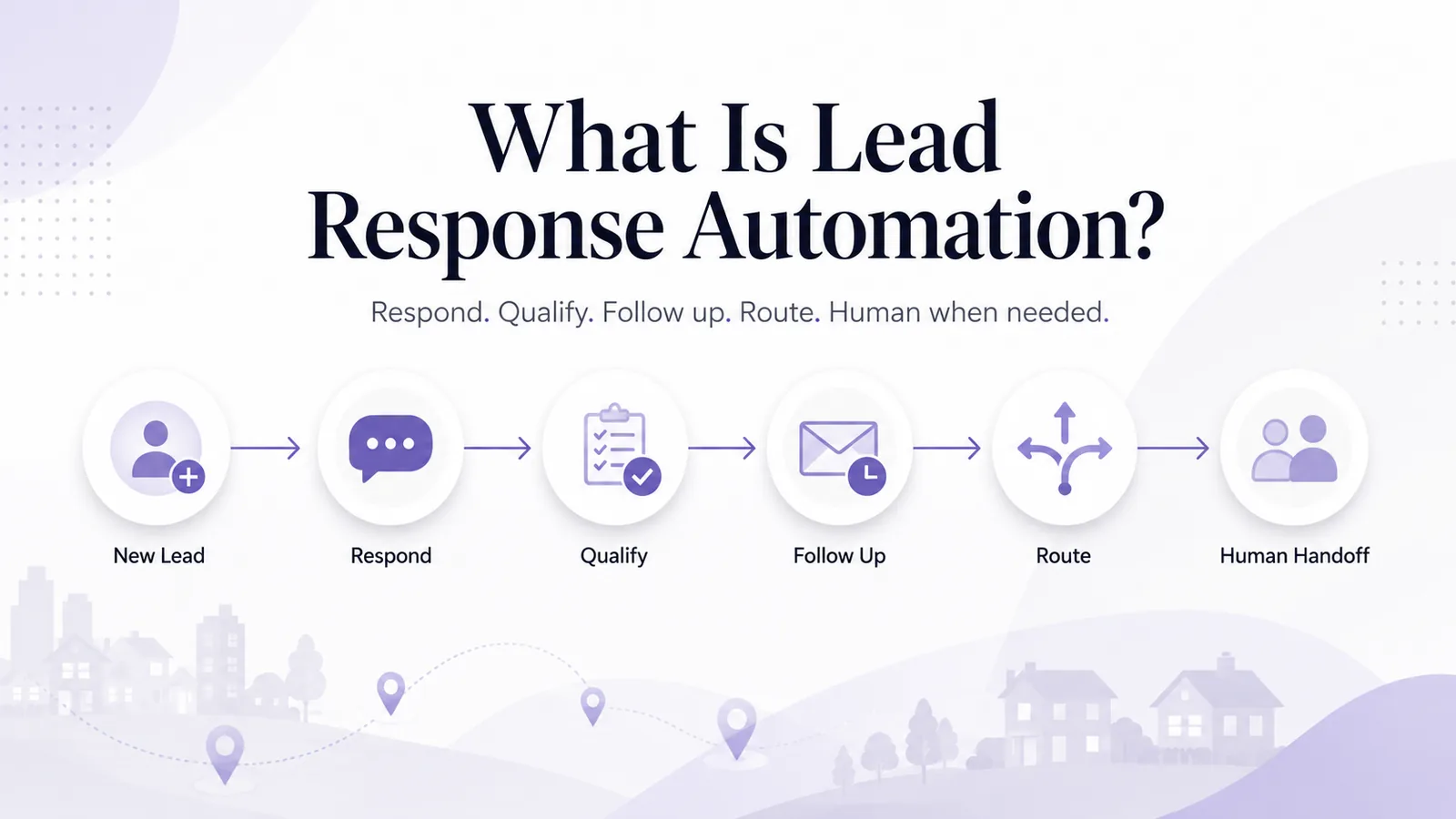
At its simplest, that may mean sending an immediate first response. At a more advanced level, the system can continue the conversation, ask qualifying questions, use business information, follow up when the customer stops replying and bring a person into the conversation when judgment is required.
For a local service business, the problem lead response automation solves is straightforward: customers do not always contact you when someone is available to answer. A lead may arrive:
- after business hours
- while the dispatcher is on another call
- while the owner is on a job
- during the weekend
- at the same time as several other inquiries
Without a defined response workflow, lead handling depends on someone noticing the notification quickly enough. Automation replaces that dependency with a repeatable process.
The goal is not to remove people from sales or customer service. The goal is to automate the parts that do not require human judgment.
How lead response automation works
1. A lead arrives
The inquiry may come from a supported lead source such as:
- Yelp
- Google Local Services Ads messages
- Thumbtack
The system receives the available lead context.
2. The first response is sent
Instead of waiting for somebody to notice the notification, a configured response can begin immediately, using the context already available. For example:
Customer: “My AC is running but not cooling.”
Useful response: “Thanks for reaching out about the AC issue. Is the system blowing warm air consistently, and what ZIP code are you in?”
The goal is to start a useful conversation. Response speed to lead only matters if the first message moves the conversation forward.
3. Qualification begins
The responder can ask questions configured by the business. Depending on the service, those might include ZIP code, requested service, urgency, job type, property type, timing or project details. Different businesses need different questions.
4. Business rules are applied
A response workflow can use information configured by the business, such as:
- services
- service area
- business hours
- approved pricing or rate card
- qualification rules
- escalation rules
The automation should operate inside those boundaries. It should not invent information.
5. The conversation continues
Unlike a basic auto-reply, conversational AI can react to the customer’s answer and ask the next relevant question.
6. Follow-up happens when appropriate
If the customer stops responding, a configured follow-up sequence can bring the conversation back to their attention. Follow-ups should stop when the customer replies, the customer opts out, a human takes over, or the workflow reaches its configured limit.
7. The lead is handed to a person
When the conversation reaches a point where human judgment is required, the team should receive the context already collected. Examples include a complex estimate, a pricing exception, a complaint, a high-value opportunity, an unusual project, or a customer who explicitly asks for a person.
Automation handles process. People handle judgment.
Lead response automation vs a basic auto-reply
| Capability | Basic auto-reply | Lead response automation |
|---|---|---|
| Immediate first response | Yes | Yes |
| Uses lead context | Limited | Yes, when available |
| Follow-up questions | Usually no | Yes |
| Adapts to answers | No | Yes |
| Uses configured business information | Limited | Yes |
| Qualification | No or limited | Yes |
| Automatic follow-ups | Limited | Can be configured |
| Service-area logic | Limited | Can be configured |
| Human escalation | Manual | Can be rule-based |
| Multi-message conversation | No | Yes |
| CRM or workflow handoff | Usually separate | Can be integrated |
A basic auto-reply solves: “Did we acknowledge the lead?” Lead response automation tries to solve: “How do we move the lead toward the next useful step?” That is the job of an AI auto responder.
What parts of lead response should be automated?
Good candidates are repetitive, predictable tasks.
First response
Make sure legitimate inquiries receive an initial reply without depending entirely on staff availability.
Basic qualification
Ask the standard questions required for the service.
Service-area checking
Determine whether the location fits the business’s configured coverage before the conversation goes further.
Approved pricing information
Use rates explicitly supplied by the business. Never invent a quote.
Follow-up
Run controlled follow-up sequences when the customer goes quiet.
Internal routing
Send useful lead context to the right person or workflow.
CRM and workflow handoff
Use tools such as Zapier or webhooks to pass structured lead information downstream.
What should stay human?
Not every conversation should be automated. Human judgment is especially valuable for:
- complaints
- negotiation
- unusual estimates
- complex projects
- exceptions to business rules
- sensitive situations
- high-value opportunities
- customers explicitly requesting a person
The strongest automation strategy is not “automate everything.” It is “automate everything predictable.”
Why response coverage matters
Many businesses focus only on response speed. But response coverage matters too.
- Response speed: how quickly did we reply?
- Response coverage: how many legitimate leads actually received a useful response?
A company may respond very quickly between 9 AM and 5 PM while leaving evening and weekend inquiries unanswered. Automation can help create consistent coverage even when the team is unavailable — see how the Yelp Auto Responder covers every Request.
Where lead response automation is most useful
After-hours leads
Automation can begin gathering information while staff are unavailable.
High lead volume
A system can handle repetitive first-response work when several inquiries arrive together.
Field-service businesses
Owners and technicians cannot constantly watch lead-platform notifications while working.
Multi-channel businesses
Teams using Yelp, Google LSA and Thumbtack otherwise have to monitor several separate inboxes.
Multi-location businesses
Configured rules can help create consistent lead handling across locations.
Lead response automation by channel
Yelp
Yelp Requests may already contain service and project context. Automation should use that information instead of asking the customer to start again. See the Yelp Auto Responder.
Google Local Services Ads
Supported Google LSA message leads can receive automated responses and qualification based on configured business rules. Message-response automation is not phone answering: InstantResponse does not automatically answer Google LSA phone calls. See the Google LSA Auto Responder.
Thumbtack
Thumbtack leads can include project details. Automation can build on those details and move the conversation toward qualification or human handoff. See the Thumbtack Auto Responder.
A realistic automated lead response workflow
- Lead arrives
- Read available context
- Send first response
- Ask qualifying question
- Service and area fit? If no, polite close and classify
- Continue qualification
- Apply pricing and business rules
- Customer needs a person? If yes, human handoff
- Follow-up or preferred next step
- CRM / workflow handoff
If the customer asks for a person at any point, the conversation moves straight to human handoff with the context already collected.
Examples by trade
The following examples are hypothetical and illustrate workflow only.
Example: HVAC lead
Lead: “My AC stopped cooling.”
- Acknowledge the AC issue.
- Ask: “Is the system running but blowing warm air, or is it not turning on?”
- Collect the ZIP code.
- Check the service area.
- Ask the configured qualification questions.
- Use approved business information where applicable.
- Escalate if the situation falls outside configured rules.
The important point: the automation does not diagnose or invent information. It follows the business’s configured response process.
Example: locksmith lead
Lead: “I’m locked out.”
The workflow may collect:
- ZIP code
- home, business or vehicle
- urgency
- relevant service details
If the business supports the service and the area, the conversation can continue. If the situation requires judgment, hand off.
Example: carpet cleaning lead
Lead: “How much for carpet cleaning?”
Instead of guessing a price:
“Happy to help with pricing. About how many rooms need cleaning, and what ZIP code is the property in?”
The workflow gathers the information required to apply the business’s configured rate rules.
Lead response automation and follow-up
The first response is only one part of lead management. If the customer stops replying, the system can perform configured follow-ups. Good follow-up automation should:
- have limits
- stop after a reply
- stop after an opt-out
- stop after human takeover
- avoid repetitive, spam-like messages
For the operational cost side of this, compare manual and automated lead follow-up.
Lead response automation and CRM
Once a lead reaches the right stage, useful information should be able to move downstream — into a CRM, Google Sheets, Slack, email or custom internal systems.
InstantResponse currently supports this type of routing through Zapier and webhooks. Third-party CRMs are connected through those methods; they are not native InstantResponse integrations. For a worked example, see how to connect Yelp leads to your CRM.
What should you measure?
Do not focus only on “how many automated messages did we send?”
Useful operational metrics may include:
- Incoming legitimate leads
- First-response coverage
- Response time
- Qualified leads
- Service-area fit
- Conversations requiring human takeover
- Follow-up status
- Lead source
- Campaign or category where available
- Downstream CRM status where reliably tracked
Benchmarks vary widely by trade, market and channel. Measure your own baseline rather than assuming a universal number.
How to build a lead response automation strategy
- 01List your lead sources.
- 02Document your current manual workflow.
- 03Identify the questions your team repeats every day.
- 04Define the services you handle.
- 05Define your service area.
- 06Define approved pricing or rate-card information.
- 07Define qualification questions.
- 08Define escalation rules.
- 09Define follow-up limits.
- 10Define who owns the lead after handoff.
- 11Connect downstream tools where needed.
- 12Test common and unusual scenarios.
- 13Review real conversations regularly.
How to test before going live
Run the workflow against realistic scenarios:
- A normal lead
- An after-hours lead
- A vague inquiry
- A price question
- A lead outside the service area
- An unsupported service
- A complaint
- A customer who asks for a person
- A customer who stops responding
- An unusually complex job
- Several leads arriving at once
For each one, ask:
- Did the responder use the context that was already available?
- Did it ask the right next question?
- Did it invent anything?
- Did it know when to stop?
- Did the handoff work?
- Was the next step clear to the customer and to the team?
Common lead response automation mistakes
Automating without business rules
AI needs defined boundaries.
Trying to automate every conversation
Edge cases need people.
Using one script for every service
Different jobs require different questions.
Inventing pricing or availability
Use only approved information.
Ignoring follow-up
A first response alone does not solve the workflow.
No clear handoff
A qualified lead must have an owner.
No review process
Real conversations should be reviewed and workflows improved.
Benefits of lead response automation
- more consistent response coverage
- after-hours availability
- less repetitive manual work
- standardized qualification
- controlled follow-up
- clearer human handoff
- centralized lead handling
- easier downstream routing
- more consistent business-rule enforcement
Automation improves the consistency of the process. It cannot guarantee that a customer hires the business.
Is lead response automation right for every business?
No. A business receiving only a few highly complex leads per month may be perfectly comfortable responding manually.
Automation becomes more useful when:
- lead volume grows
- leads arrive after hours
- several channels are used
- follow-up is inconsistent
- staff repeatedly answer the same questions
- multiple locations need consistent workflows
The decision should be based on operational need, not simply on whether AI is available.
How InstantResponse fits into lead response automation
InstantResponse is designed for local service businesses managing supported message leads from Yelp, Google Local Services Ads and Thumbtack.
The system can use business-configured information such as:
- services
- service area
- business hours
- qualification questions
- rate card
- escalation rules
- follow-up rules
A team member can take over at any point, and qualified lead information can be routed into downstream workflows through Zapier and/or webhooks.
See the AI Auto Responder, or read how it works on Yelp, Google LSA and Thumbtack.
Frequently asked questions
- What is lead response automation?
- Lead response automation uses software to handle repeatable parts of responding to new inquiries, such as the first response, qualification questions, follow-ups, routing and handoff.
- Is lead response automation the same as a chatbot?
- Not necessarily. A chatbot is one interface or type of conversational system. Lead response automation describes the broader workflow from incoming inquiry through response, qualification, follow-up and handoff.
- What should I automate first?
- Start with repetitive tasks that frequently get delayed or forgotten, such as first responses, after-hours coverage, basic qualification and follow-ups.
- Should lead qualification be automated?
- Routine qualification questions can often be automated. Complex pricing, unusual projects and edge cases should be escalated to a person.
- Can lead response automation work after hours?
- Yes. Automation can respond and gather useful information outside normal office hours according to configured business rules.
- Can lead response automation connect to a CRM?
- Yes, depending on the system. InstantResponse can route lead information downstream through Zapier and/or webhooks.
- Does automation guarantee more bookings?
- No. Automation can improve response consistency and workflow coverage, but it cannot guarantee that a customer will hire the business.
- Which lead sources does InstantResponse currently support?
- InstantResponse currently supports message lead workflows for Yelp, Google Local Services Ads and Thumbtack.
Conclusion
Lead response automation is not about replacing people with software. It is about deciding which parts of the lead-response process actually require a person.
Sending the first reply, checking a ZIP code, asking standard qualification questions and remembering a follow-up are usually repetitive. Handling a complicated estimate, resolving a complaint and negotiating an unusual project are human work.
A strong workflow puts automation around the predictable steps and brings people in when their judgment creates value. That is the real strategy behind lead response automation.